 Ivessa
Your pharmacy inventory. Finally, under control.
Track medications, manage lots and expiration dates, receive stock, and streamline daily pharmacy workflows, all in one secure, offline-first workspace.

Made for pharmacies that have outgrown the spreadsheet
Small pharmacies that need every lot and expiration tracked, without the cost and complexity of a hospital system.
Chemo and infusion pharmacies
Built in one first. Hazardous drugs, rooms, order sets and scheduled treatments are part of it.
Compounding and specialty pharmacies
Any small pharmacy that receives, stores and counts by lot. Compounding features come next.
Technicians and pharmacists
Receive, count and prepare with a scanner, often in gloves, with big buttons and few steps.
Managers and leadership
Par levels, people and backups for managers; a View only sign-in for directors, who can send a change request instead.
Everything a small pharmacy counts on
The jobs you do every day, built around an inventory that knows every lot.
Every item. Every lot.
Track medications and supplies by NDC, lot, expiration, room, and quantity.
Receiving made simpler.
Scan arriving stock, record its details, and update inventory with confidence.
Stay ahead of shortages.
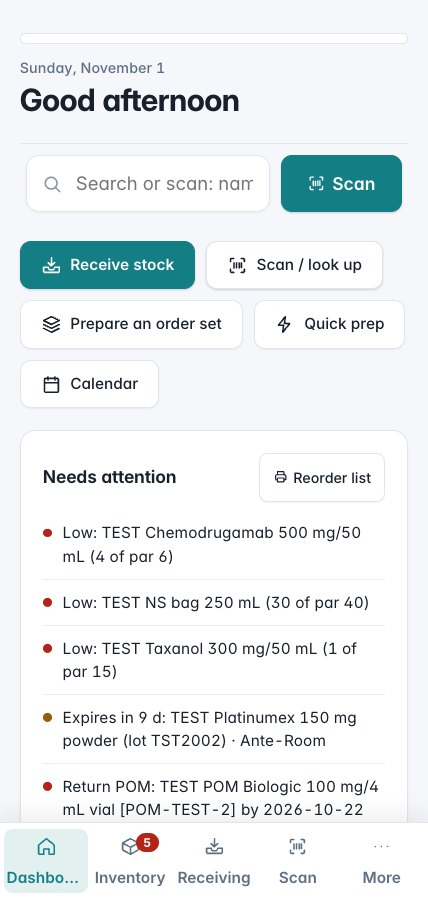
Identify below-par items and upcoming expirations before they disrupt your workflow.
Patient's-own medication tracking.
Track separately stored medications by tag or nickname without keeping patient-identifying information.
Preparation workflows.
Organize order sets, quick preparations, and associated inventory usage.
Know what's coming.
View scheduled treatments and upcoming inventory-related dates in one calendar.
Down to the lot, without the busywork
Real screens from the app, shown with test data.
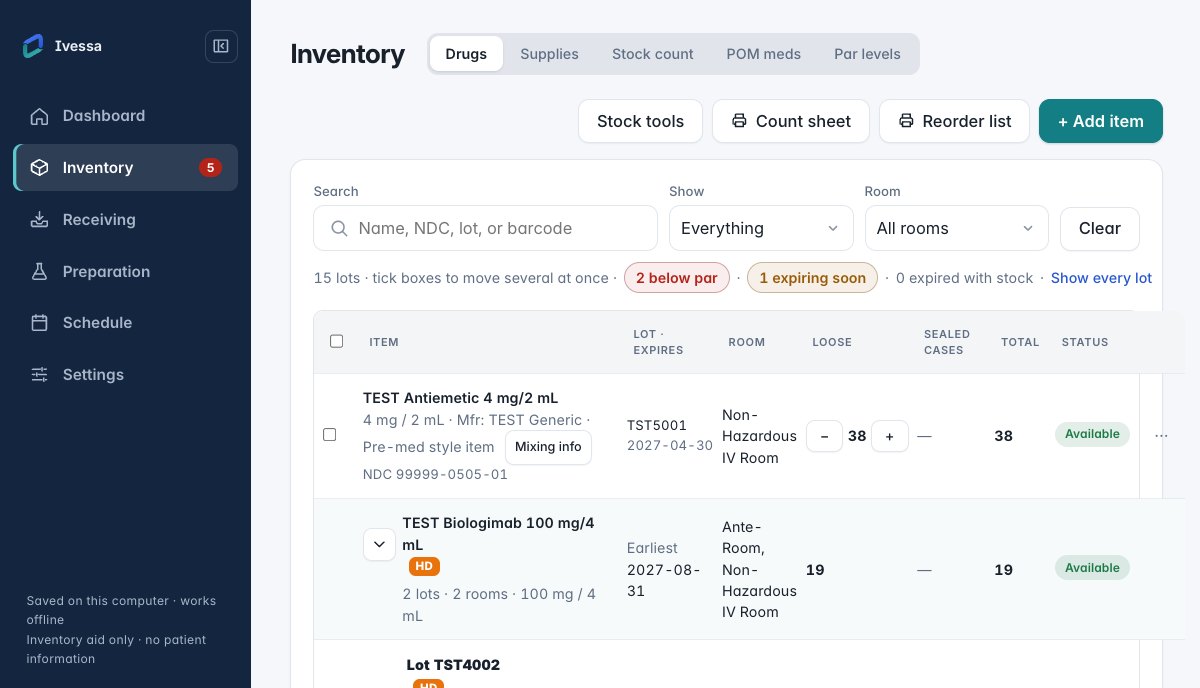
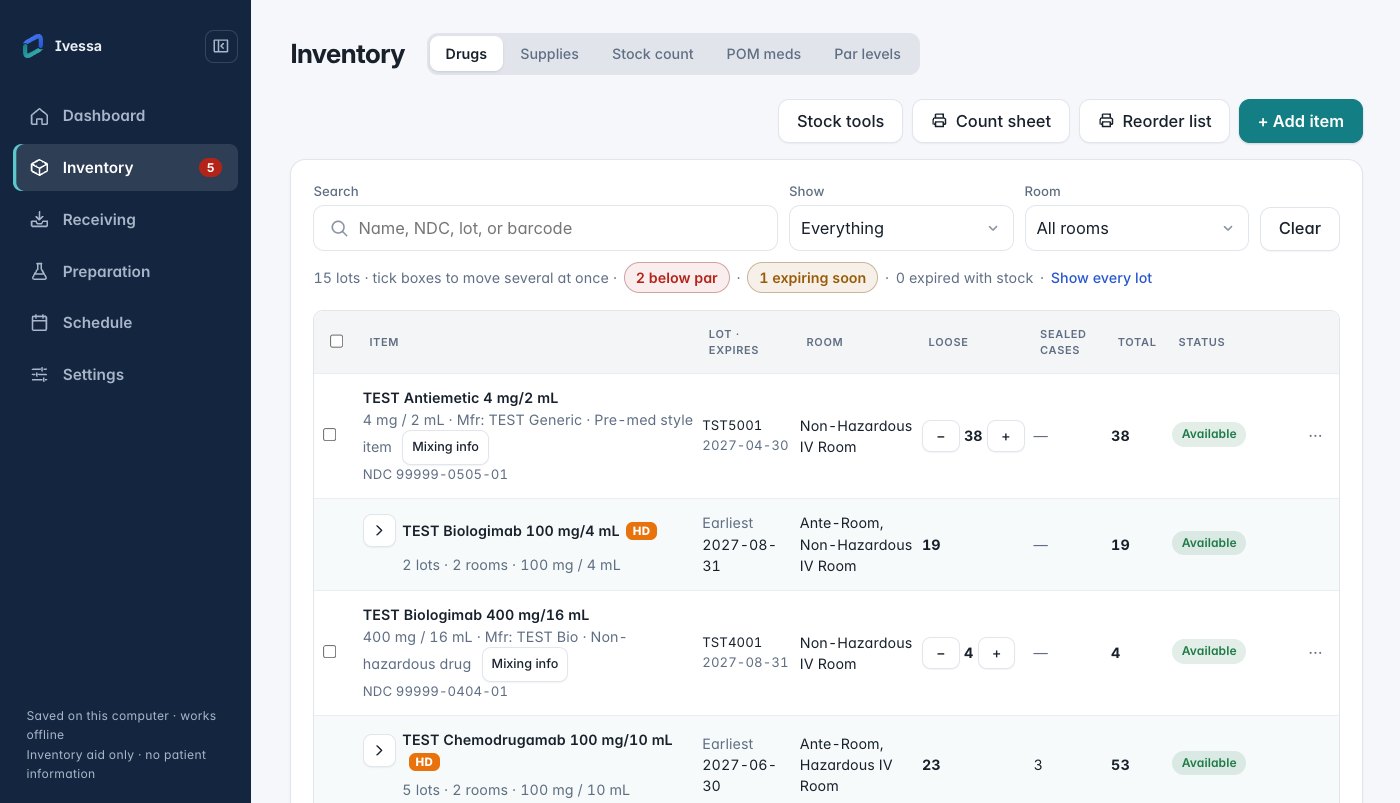
One list, every lot underneath
Each medication shows its total, its status and the lots that make it up: lot number, expiration, room and quantity.
- Available, Below par and Expiring labels at a glance
- Search or scan to jump straight to an item
- Take out or put back with one tap, with Undo
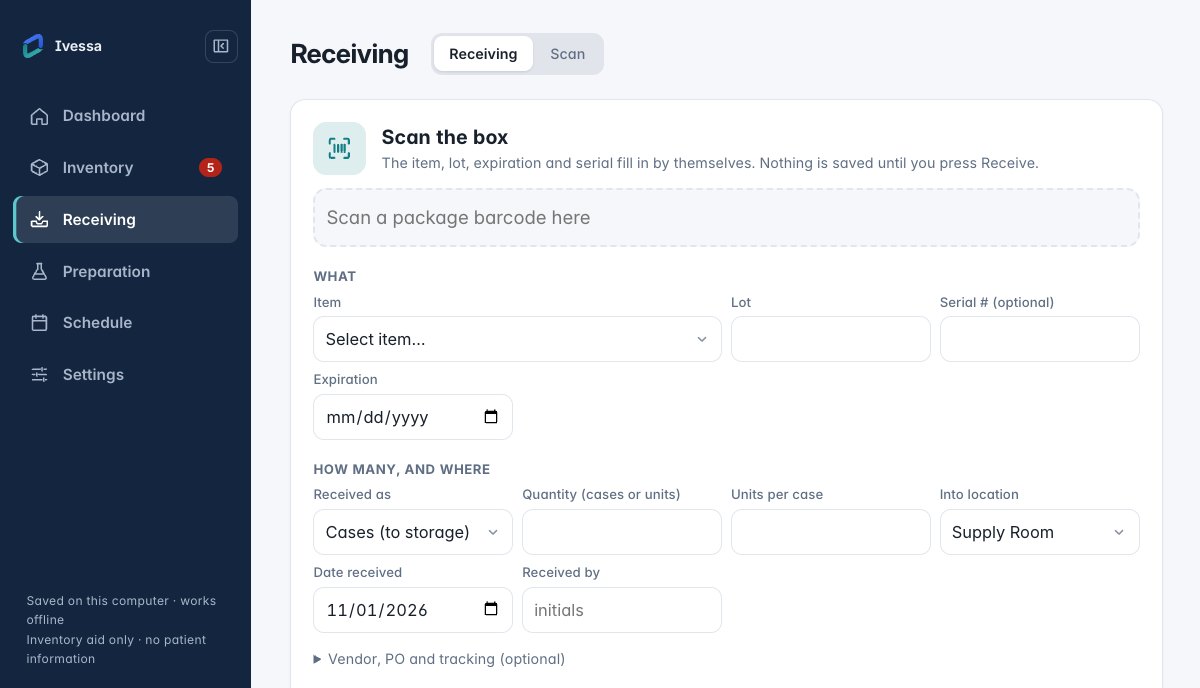
Receive by scanning the box
The 2D code on a drug box carries its NDC, lot and expiration. Scan it, check what the app read, add the quantity and room, and confirm.
- Never guesses: unknown codes are flagged for review
- Stock changes only after you confirm
- Every receipt is logged under your name
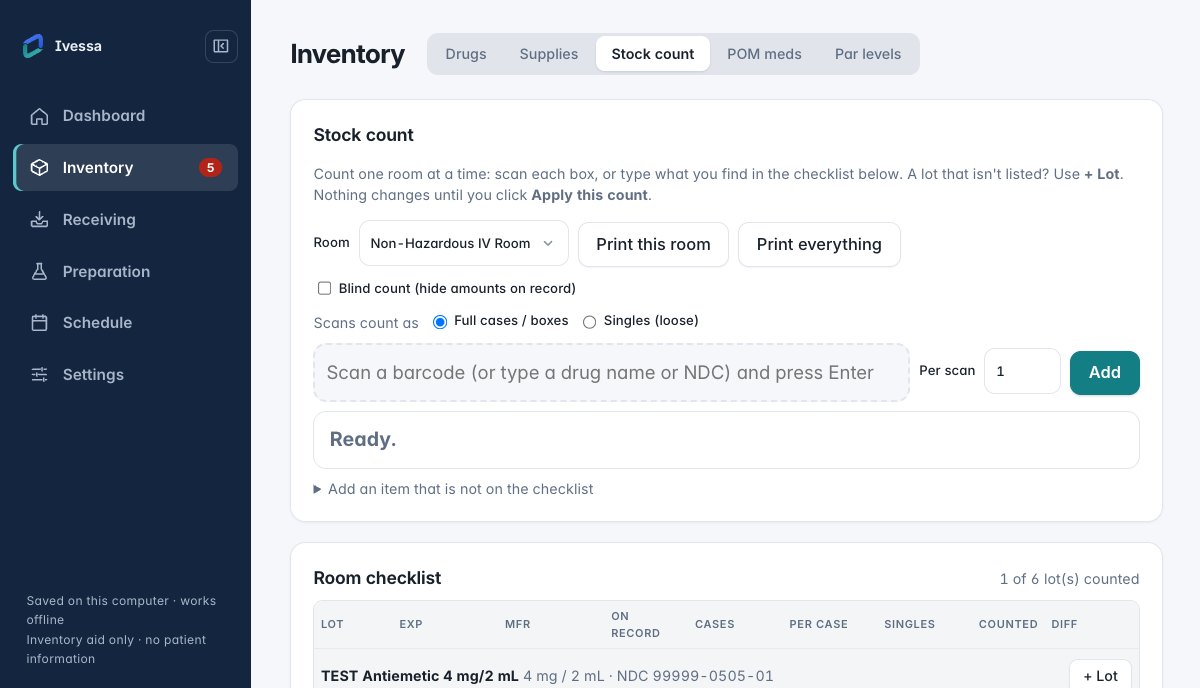
Count a room, box by box
Pick a room, scan each box on the shelf, and review the differences before anything changes.
- One room at a time, at your pace
- Apply the count only when it looks right
The right workspace, wherever your pharmacy works.
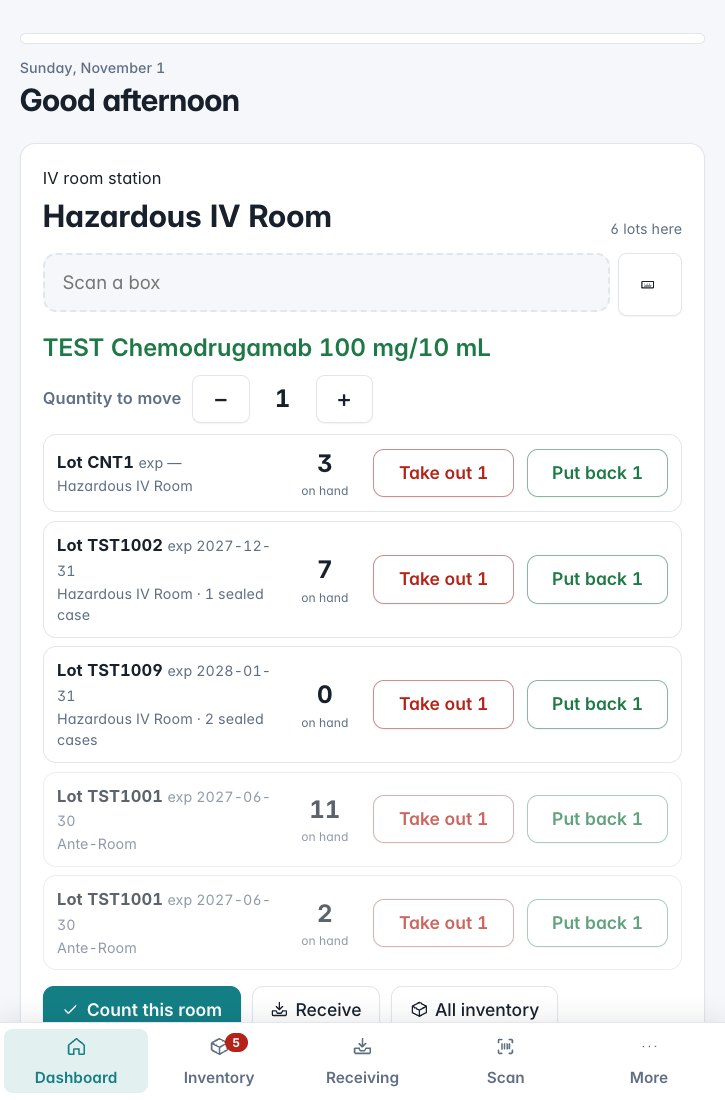
Share one inventory between the pharmacy's computers on your own network. A tablet can stay in the IV room as a scan station for that room.
Built with privacy and accountability in mind.
Offline-first
Core inventory workflows work without an internet connection.
Locally stored data
Pharmacy inventory records are stored on your devices using application-managed encryption.
Individual accountability
Users have individual sign-ins and role-based access, with changes recorded in the activity log.
Backup and recovery
Local backup tools and a recovery kit help support your pharmacy's data continuity.
Ivessa is an inventory aid. It is not a medical device, it holds no patient information, and it is not a substitute for checking the label.
Built by someone who knows the pharmacy workflow.
Ivessa began with a practical problem: keeping track of medications, supplies, and daily inventory work in a busy oncology pharmacy.
Developed by David Riley, a nationally certified pharmacy technician and chemotherapy technician manager, the software is shaped by hands-on pharmacy experience and designed around the people who use it every day.
Get Ivessa
Choose your platform and review the installation instructions before getting started.
macOS
Desktop beta- Version
- 2.0.0-beta.10
- Released
- November 1, 2026
- Installer
- .dmg · Apple silicon and Intel
- Signed
- Signed and notarized by Apple
Windows
Desktop beta- Version
- 2.0.0-beta.10
- Released
- November 1, 2026
- Installer
- setup.exe or .msi · 64-bit
- Signed
- Publisher: David Riley
Beta software. Verify compatibility and back up existing data before installing an update. Both buttons open the release page: pick the file for your computer.
Up and running in about ten minutes
Every step is in the Help center, with guides for staff and IT.
Install and set up the first admin
That's you: your pharmacy's name, your name and a password, and an optional quick PIN.
Save the recovery kit
Print it or save it as a PDF: one page with a code that opens your data on a new computer. Encryption turns on when it's confirmed.
Bring in your inventory
Restore a v1.2 backup, import a spreadsheet, or scan boxes as you receive them.
Add your team
Admin, Staff and View only. Other computers can join the main computer and stay up to date.